
Modern Interface. Better Graphics. Faster Workflow. Real Engineering Support.
HY-8 has long been a familiar tool for culvert hydraulic analysis. But today’s civil engineers need more than accurate calculations. They need software that makes the entire design process easier, from entering project data to reviewing hydraulic performance and preparing professional reports.
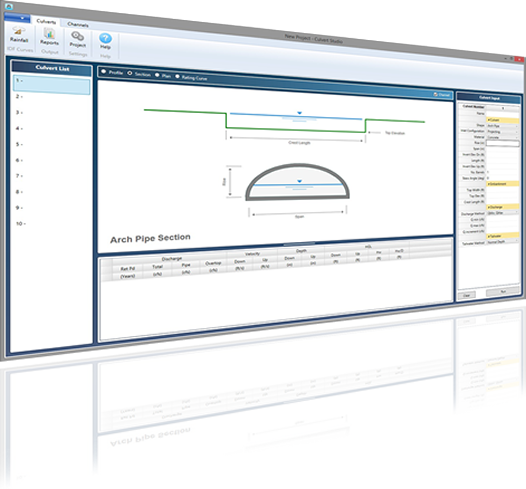
Meet Culvert Studio
Your HY-8 Alternative
Built specifically for practicing civil engineers, Culvert Studio combines proven FHWA HDS-5 hydraulic methodology with a modern Windows interface, impressive graphical presentations, intuitive data entry, and expert technical support.
The result? Less time working with software and more time focused on engineering.
Same Hydraulics. A Better Design Experience.
Two Powerful Tools. Two Different Experiences.
Both Culvert Studio and HY-8 provide established methods for analyzing culvert hydraulics. The difference lies in how you interact with the software, visualize results, prepare reports, and get help when you need it.
| Feature | Culvert Studio | FHWA HY-8 |
|---|---|---|
| Hydraulic Methodology | FHWA HDS-5 | FHWA HDS-5 |
| User Interface | Modern WPF interface | Traditional Windows interface |
| Data Entry | Spreadsheet-style input grid | Dialog-based input workflow |
| Graphical Presentation | Modern, high-quality graphics | Traditional engineering plots |
| Numerical Results | Interactive grid linked to graphics | Numerical and graphical results |
| Reporting | Integrated graphical reports and calculation samples | Customizable engineering reports |
| Project Workflow | Designed for efficiency | Established analysis workflow |
| Technical Support | Live support from experienced civil engineers | No FHWA user assistance or technical support |
| Cost | Paid subscription | Free |
HY-8 is developed and distributed by the Federal Highway Administration. Culvert Studio is an independent commercial product and is not affiliated with or endorsed by FHWA. Features may vary by software version.
How HY-8 Compares to Culvert Studio
Although it’s the same engineering challenge, the user experience is quite different. Below is a side-by-side comparison focusing on four important aspects of these two programs.
Ease of Use, Graphical Presentation, Calculation Results & Technical Support.
1. User Interface & Ease of Use
Great engineering software should make complicated calculations feel simple. Culvert Studio’s modern interface brings project inputs, hydraulic results, and graphical presentations together in one convenient workspace. Enter your culvert data and run your analysis without constantly navigating through layers of dialog boxes.
Why Engineers Appreciate Culvert Studio
- Spreadsheet-style data entry makes input fast and intuitive.
- Input data, calculation results, and graphical views are conveniently organized.
- Easily copy and paste culvert configurations between models.
- Quickly evaluate multiple culverts within the same project.
- Spend less time navigating software and more time designing.
Culvert Studio vs. HY-8
HY-8 provides an established engineering interface with menus, project navigation, and input dialogs. Culvert Studio takes a more streamlined approach, keeping the information engineers use most frequently together in a unified workspace.
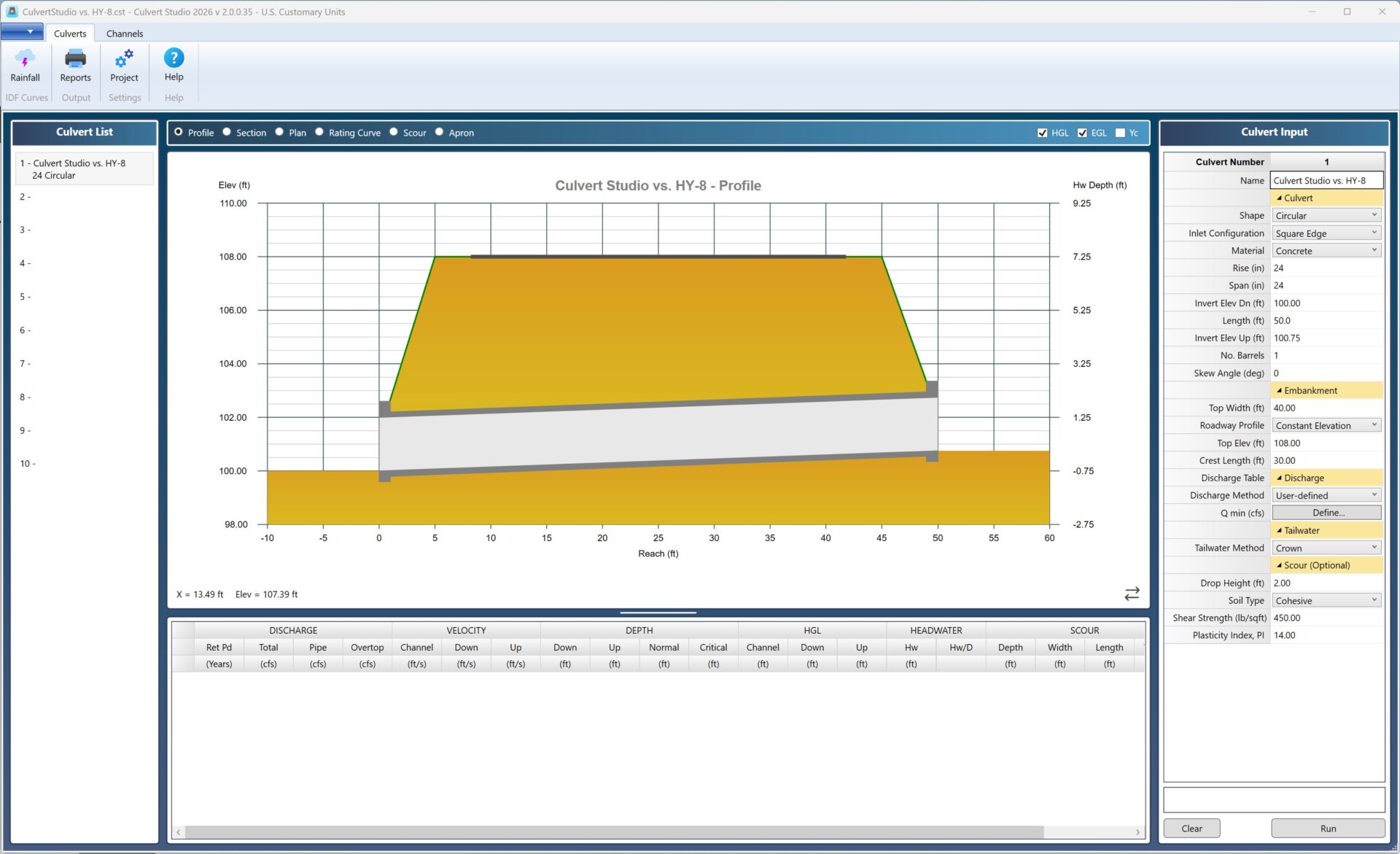
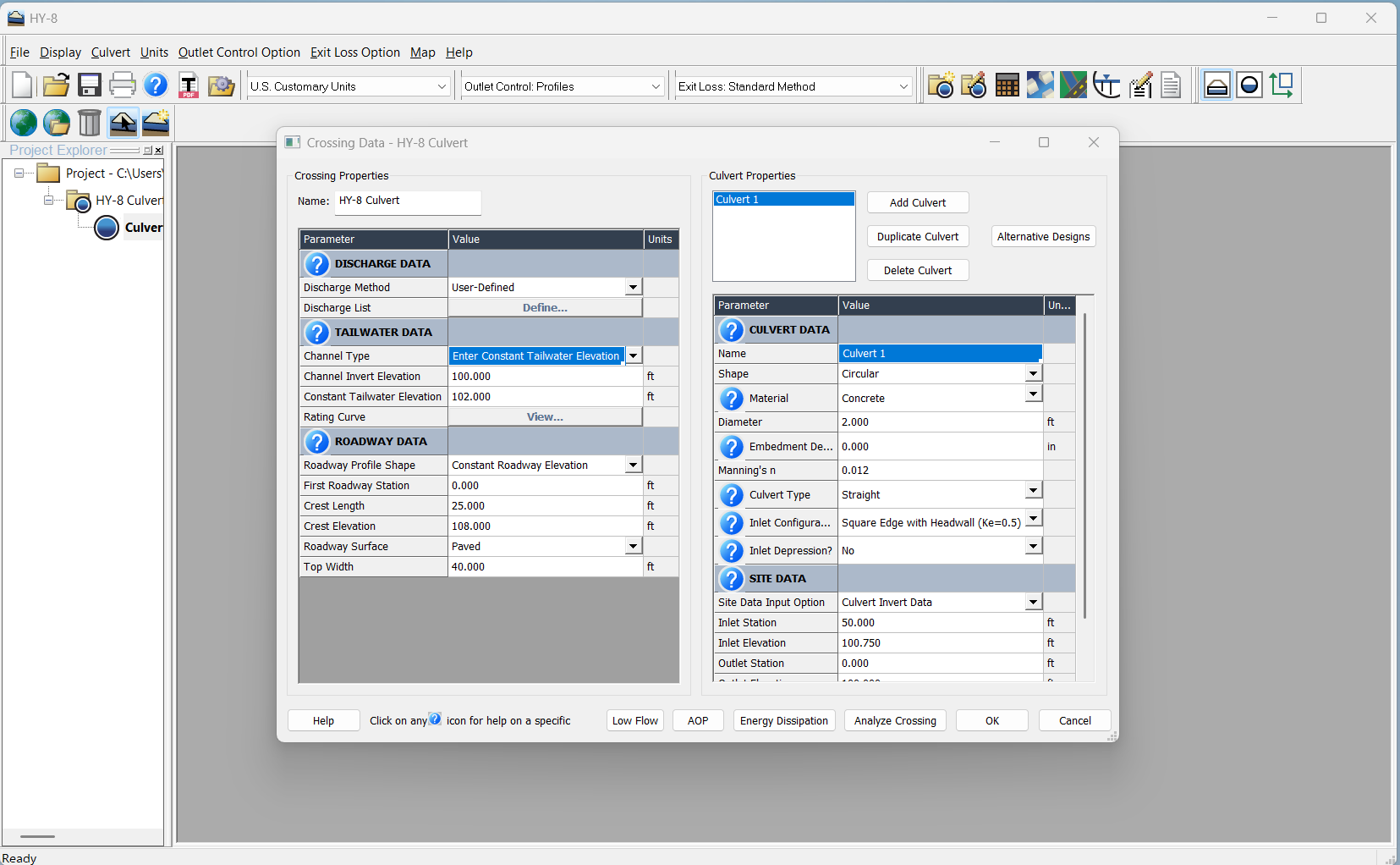
Drag the slider and see the difference in how quickly you can navigate, enter data, and watch your culvert design take shape.
2. Graphical Presentation
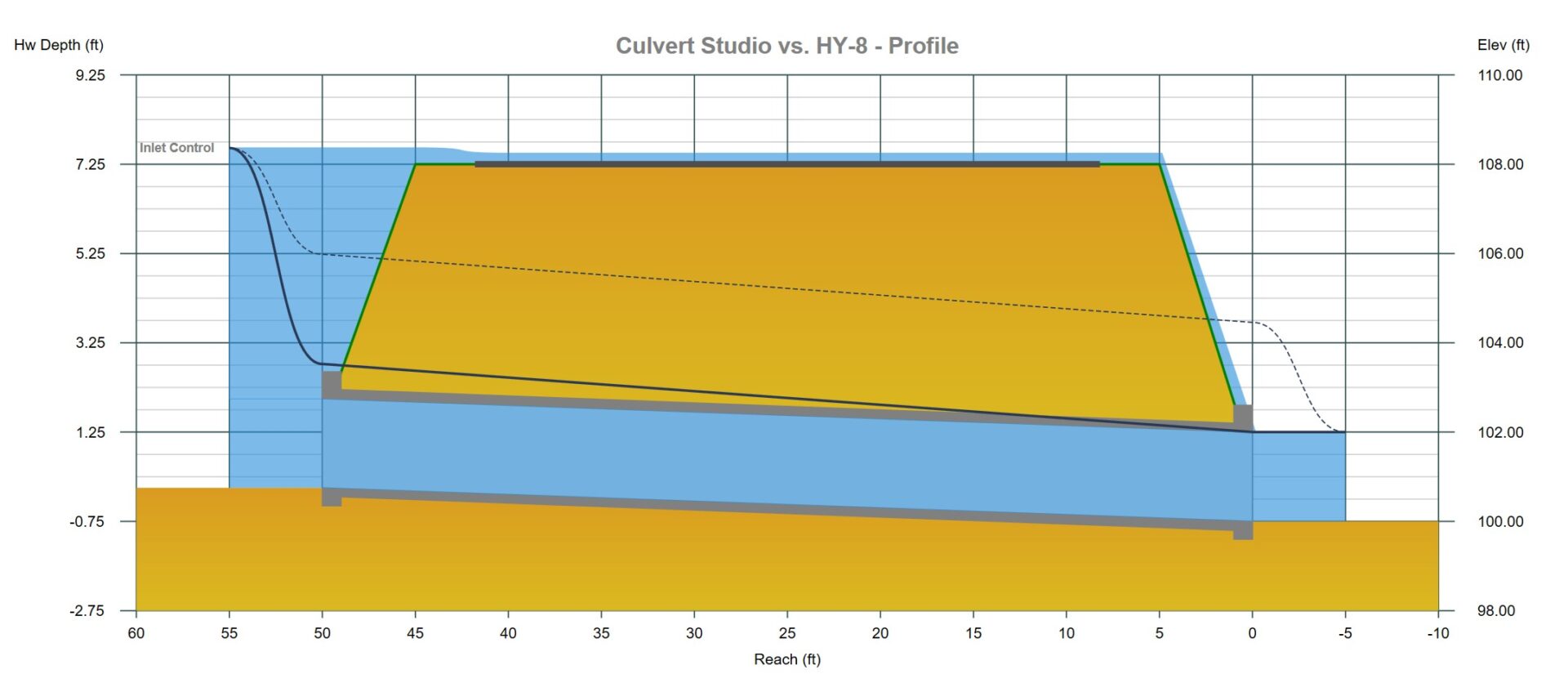
A clear picture can tell you more about hydraulic performance than a table full of numbers. Culvert Studio takes graphical presentation to another level. Built using Microsoft’s Windows Presentation Foundation (WPF) technology, Culvert Studio delivers crisp, detailed graphical representations of culvert hydraulics.
Water surface profiles, hydraulic grade lines, energy grade lines, critical depths, and culvert geometry are presented in a clean, professional format that’s easy to interpret. And because the graphics are directly connected to the numerical results, selecting a calculation row instantly displays its corresponding hydraulic profile.
See the Hydraulics, Not Just the Numbers.
- Detailed water surface profiles and culvert geometry.
- Hydraulic and energy grade line displays.
- Plan, profile, and section views.
- Graphical results synchronized with numerical output.
- High-quality images suitable for engineering reports and presentations.
Culvert Studio vs. HY-8
HY-8 provides graphical tools for reviewing culvert performance. Culvert Studio emphasizes a modern, highly visual presentation that makes it easier to explore hydraulic behavior and communicate design results.
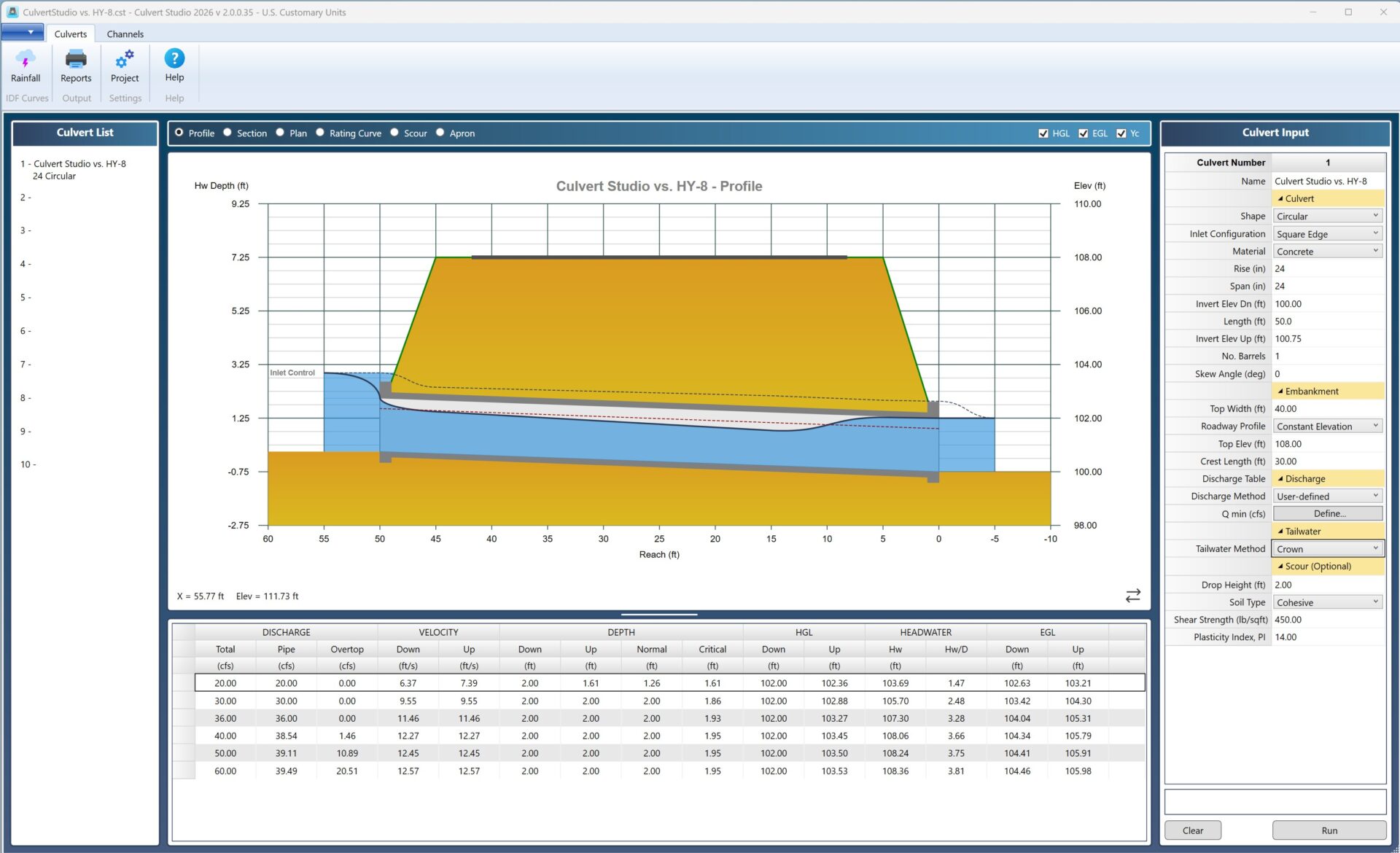
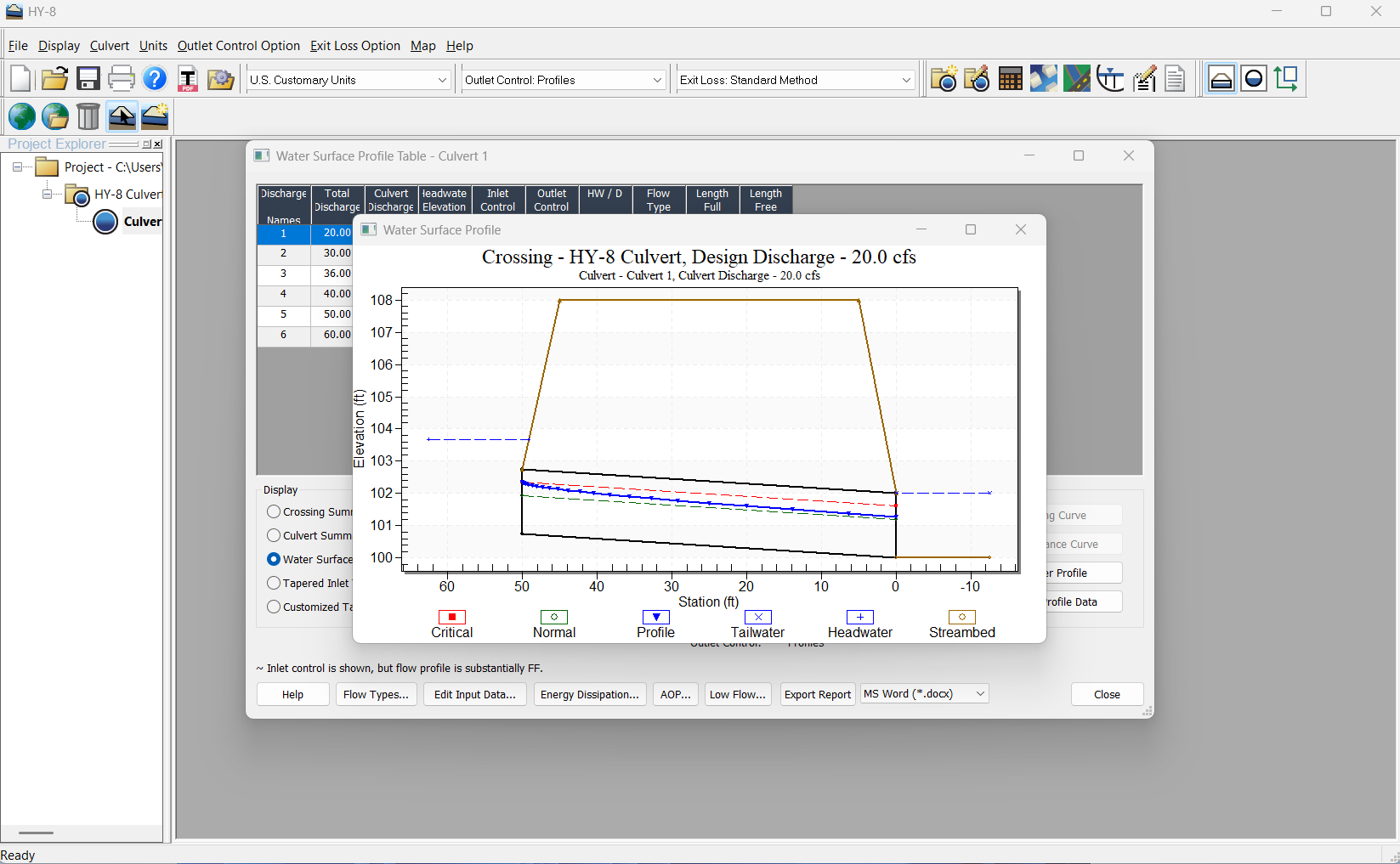
Same culvert. Same flow conditions. Two very different graphical experiences.
3. Calculation Results & Reporting
Your hydraulic calculations are only part of the job. Presenting those results clearly is just as important. Culvert Studio makes it easy to review, interpret, and document your culvert designs.
Detailed numerical results are displayed in an organized grid, directly linked to the corresponding graphical views. Select a particular flow condition and immediately see how it affects the water surface profile.
When it’s time to document your work, Culvert Studio produces professional reports combining project inputs, hydraulic calculations, and graphical presentations in one mouse click. No complicated reporting workflow. No unnecessary steps.
From Calculation to Presentation
- Review hydraulic results in an easy-to-read grid.
- Instantly display graphics corresponding to selected results.
- Generate reports containing inputs, outputs, and hydraulic profiles with one mouse click.
- Includes calculation samples for additional documentation.
- Preview reports before printing.
- Export numerical results to CSV or text files and graphics as image files.
Culvert Studio vs. HY-8
Both applications provide engineering reports and identical numerical outputs. Culvert Studio distinguishes itself through the close integration of numerical results, interactive graphics, and report presentation.
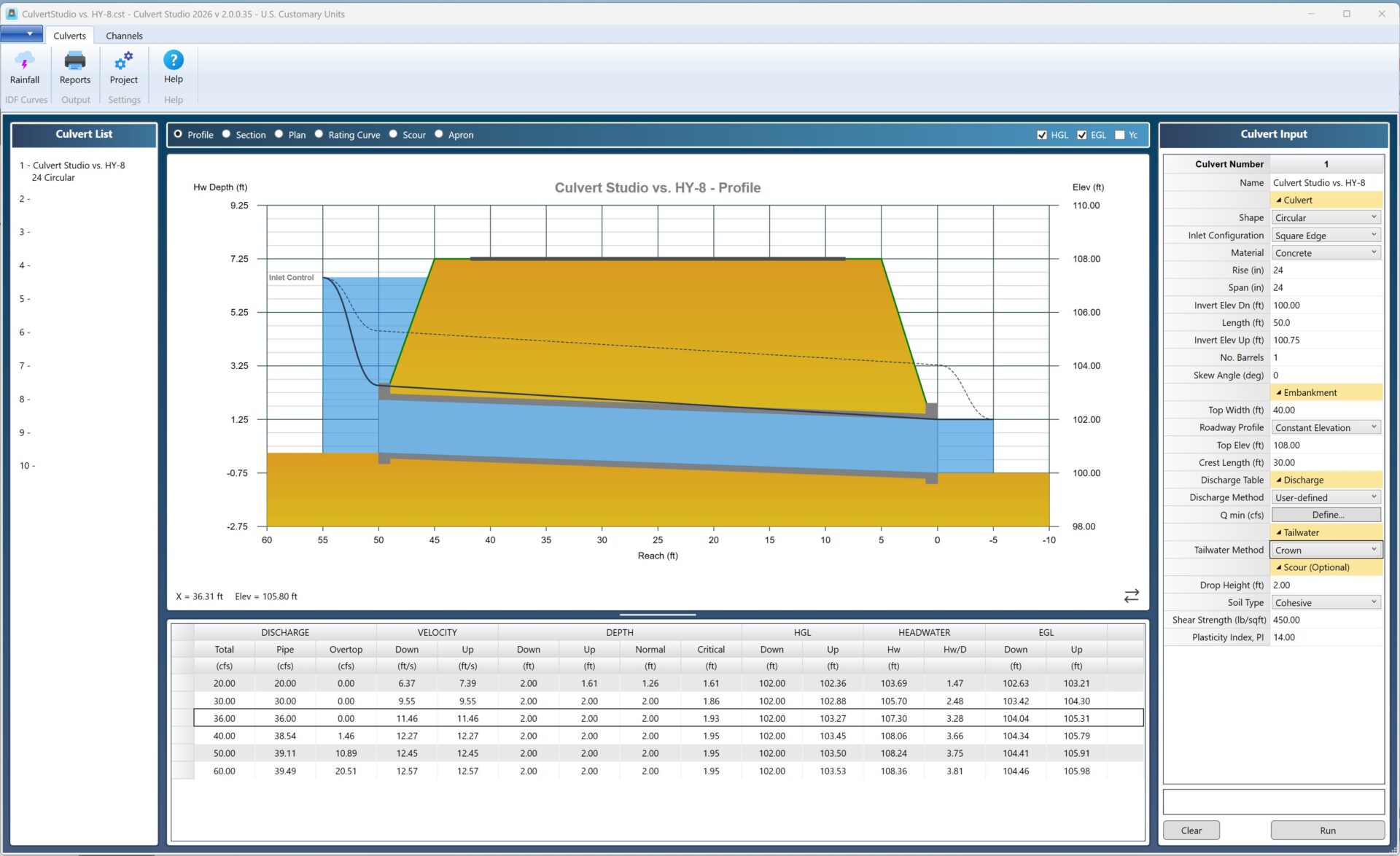
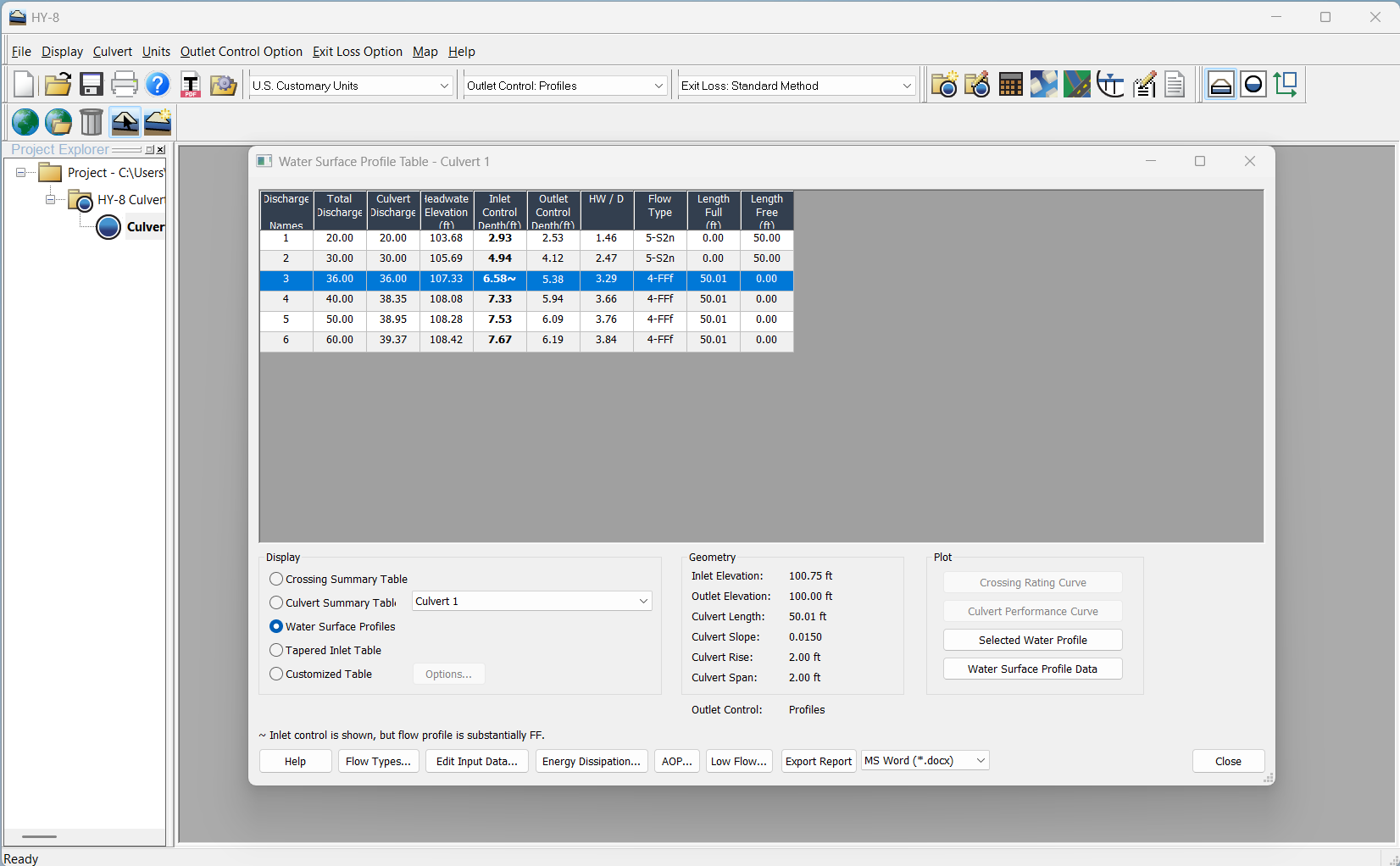
Same project. Same culvert. Same flow conditions. The numerical results are nearly identical. Accurate engineering deserves a professional presentation.
By the Numbers
The following analysis presents a direct numerical comparison of outputs between Culvert Studio and HY-8, utilizing identical project parameters as previously documented. At a discharge rate of 60 cubic feet per second, overtopping flow conditions are generated which require a low-tolerance iterative calculation procedure.
While HY-8 provides limited numerical outputs, the results demonstrate strong agreement with Culvert Studio’s calculations. Specifically, at 60 cfs, the two headwater (Hw) elevation values differ by only 0.06 feet, indicating excellent consistency between the two modeling approaches. For the lower discharge rates (20, 30, 36, 40, and 50 cfs), the average Hw variation remained below 0.03 ft.
| Output | Culvert Studio | FHWA HY-8 |
|---|---|---|
| Total Discharge | 60.00 cfs | 60.00 cfs |
| Q Culvert | 39.49 cfs | 39.37 cfs |
| Q Overtopping | 20.51 cfs | Not Provided |
| Headwater Elevation (Hw) | 108.36 ft | 108.42 ft |
| Hw/D | 3.81 ft | 3.84 |
| Flow Regime | Inlet Control | Inlet Control |
| Velocity at Outlet | 12.57 ft/s | 12.53 ft/s |
| Energy Grade Line (EGL) Down* | 104.46 ft | Not Provided |
| Energy Grade Line (EGL) Up* | 105.98 ft | Not Provided |
HY-8 is developed and distributed by the Federal Highway Administration. Culvert Studio is an independent commercial product and is not affiliated with or endorsed by FHWA. Features may vary by software version. * Culvert barrel
4. Technical Support
Even experienced engineers have questions. And when you’re facing a challenging hydraulic condition or an approaching project deadline, getting the right answer matters. With Culvert Studio, you’re never left figuring everything out on your own.
Our technical support is provided by experienced civil engineers who understand culvert hydraulics, not just the software. Whether you need assistance with program operation, understanding hydraulic results, or working through a challenging modeling situation, you’ll have access to knowledgeable professionals who speak your language.
Real Engineers. Real Expertise. Real Support.
- Live technical support from experienced civil engineers.
- Help understanding program features and modeling workflows.
- Knowledgeable assistance with culvert hydraulics.
- Guidance from people who understand real-world drainage design.
- Online documentation and instructional resources.
Culvert Studio vs. HY-8
HY-8 is distributed free of charge by the Federal Highway Administration. Although FHWA provides documentation and a way to report software bugs, it does not provide user assistance or technical support for its hydraulic software. Culvert Studio offers something different: direct access to engineering expertise when you need help.
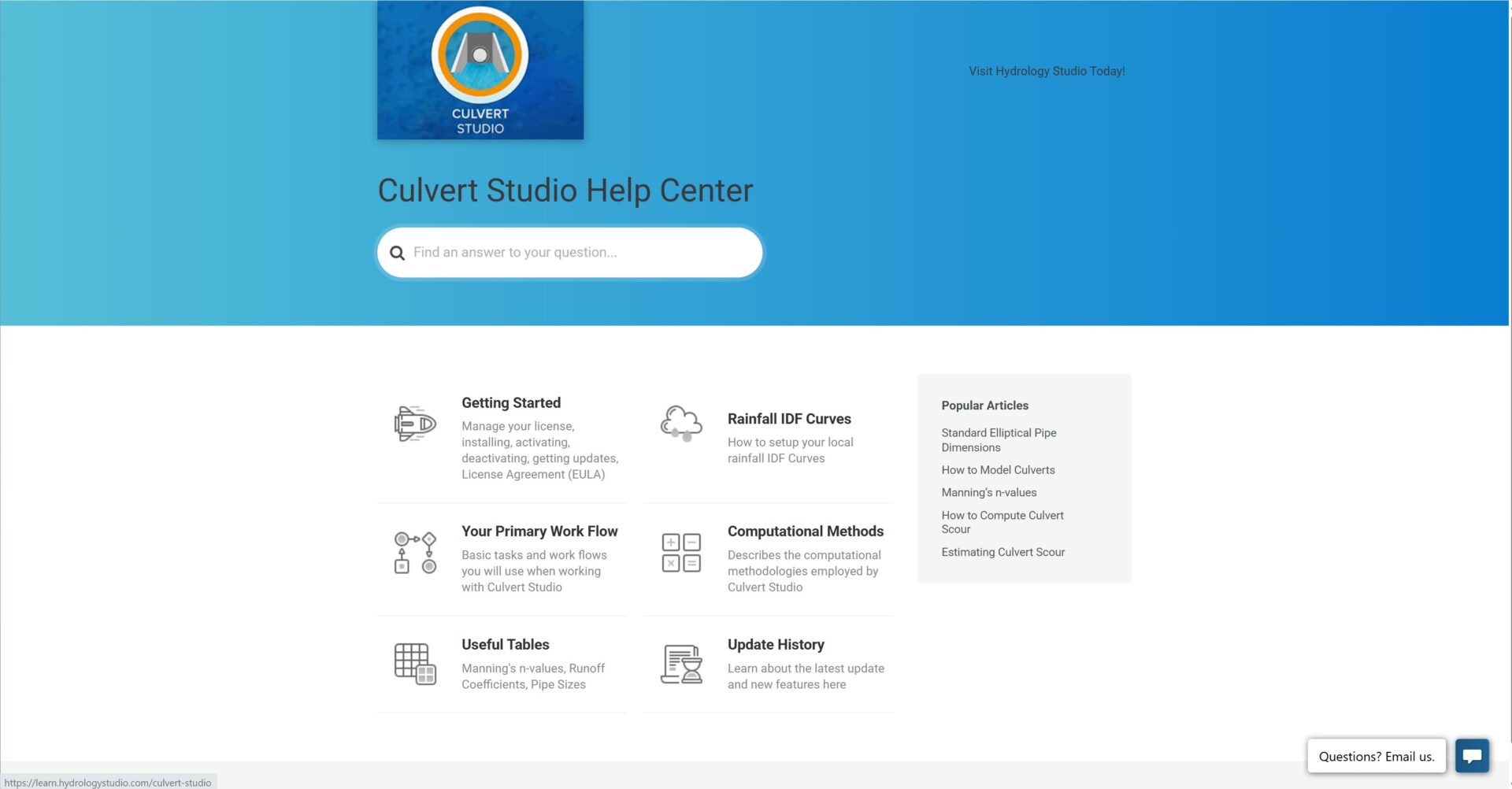
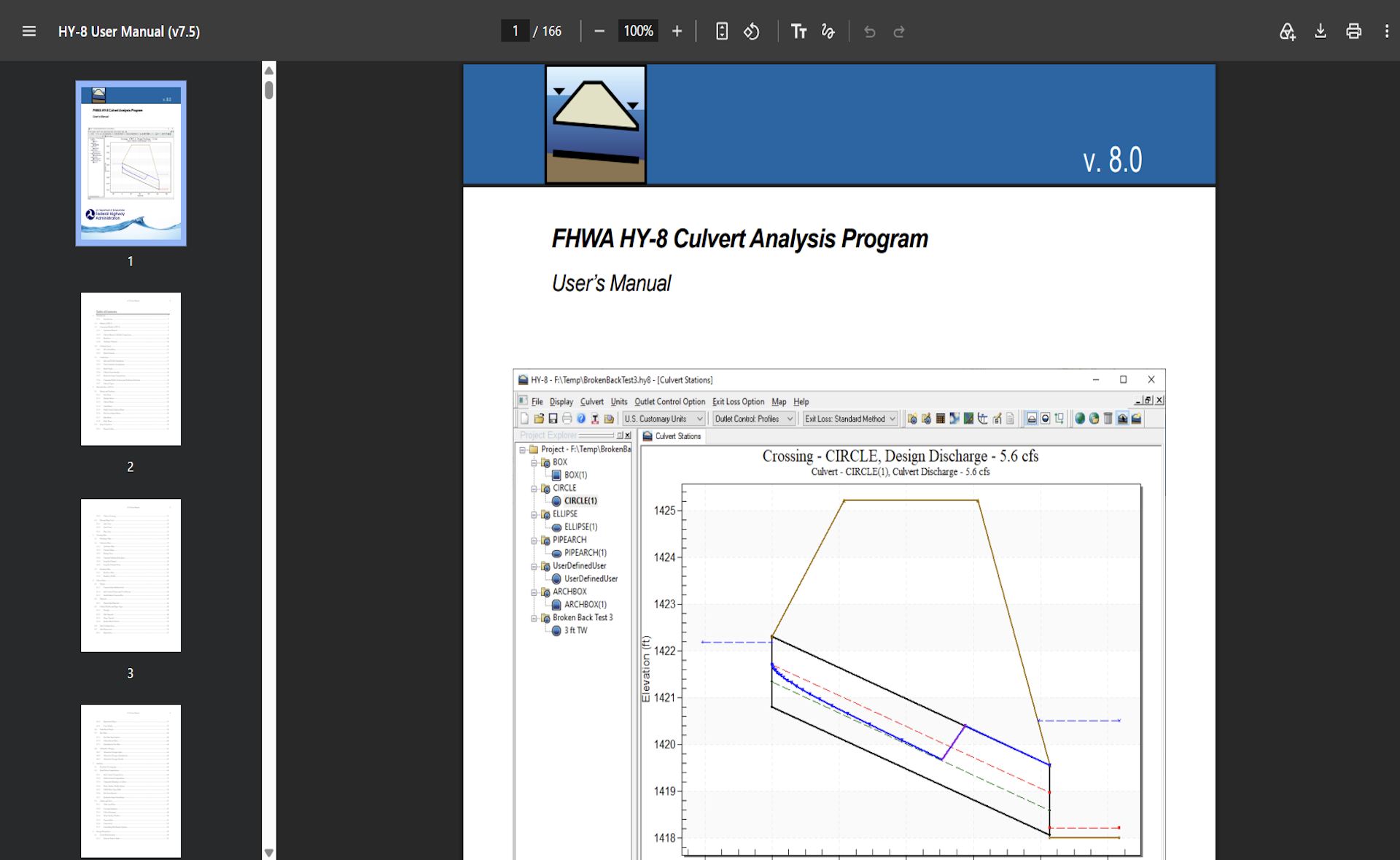
Culvert Studio offers something different: direct access to engineering expertise when you need help. HY-8 offers a pdf manual.
Why Choose Culvert Studio?
- Designed for Engineers Who Value Their Time. Its all-in-one user interface speaks to this fact.
- Rock-solid, time-tested, fully-documented, accepted HDS-5 calculation methods.
- Available as a low-cost subscription.
- Professional Engineering Reports. Clear, organized documentation at the click of a button.
- No learning curve. An intuitive interface that keeps your project information organized and accessible.
- Expert technical support when you need it.
Culvert Studio uses the same hydraulic methodology as HY-8
Both Culvert Studio and HY-8 use established hydraulic methods from the Federal Highway Administration’s Hydraulic Design Series No. 5 (HDS-5). The applications differ in their interfaces, modeling workflows, graphical presentations, and available features. Results should always be evaluated using sound engineering judgment.
Stress-Free, One-Click Installation. Automatic Updates.
Culvert Studio employs Microsoft’s “Click-Once” technology for easy installations. Program updates occur automatically with a single mouse click.
Built on Windows Presentation Foundation (WPF)
Built from the ground up using Microsoft’s dot-net WPF (Windows Presentation Foundation) it provides a rich and clean presentation while taking advantage of today’s modern hardware. It makes graphics rendering lightning fast.
System Requirements
Culvert Studio is a stand-alone software product. Any off-the-shelf PC running Microsoft Windows 10, 11 and beyond will run Culvert Studio. An internet connection is required for automatic program updates.
Units
U.S. Customary
Metric